


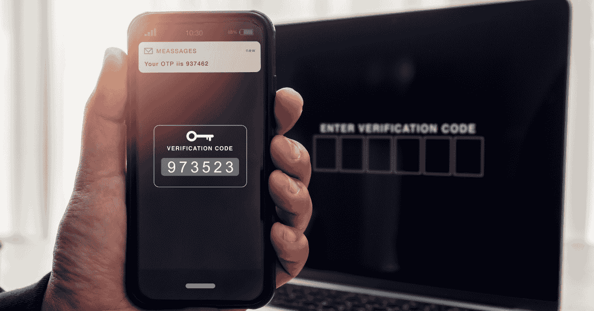
For years, turning on multi-factor authentication (MFA) felt like the finish line. Password plus a text message, done.
But attackers have adjusted. And the uncomfortable truth is this: SMS codes are now one of the most targeted weak points in account security. They are better than passwords alone, but they are no longer the protection most businesses think they are.
Why SMS MFA is a problem
SMS was built for convenience, not strong security. That makes it attractive to criminals who want the fastest path into email, financial systems, and cloud apps.
Common ways attackers bypass SMS MFA include:
- SIM swapping: Stealing your phone number by convincing a carrier to move it to their SIM
- SMS interception: Capturing texts through carrier-level weaknesses and routing tricks
- Real-time phishing: Trick a user into entering the code, then use it immediately to log in
Understanding SIM swapping in plain terms
A SIM swap often looks like customer service, not hacking.
A criminal impersonates an employee, claims they “lost their phone,” and pressures the carrier to transfer the number. When it works, the real employee suddenly loses service, and the attacker receives the MFA codes needed to reset passwords and take over accounts.
This is especially dangerous for:
- Executives
- Finance and payroll
- IT administrators
- Anyone with access to sensitive systems
What to use instead, phishing-resistant MFA
Modern MFA should make it difficult to steal or replay credentials, even if a user is tricked into clicking a fake login page.
Stronger options include:
Device-based authenticators
These generate verification codes on the device itself, rather than sending codes over text messages. This reduces exposure to SIM swaps and SMS interception.
Number matching approvals
Instead of tapping “approve” repeatedly, the user must match a number shown on the login screen. This reduces “MFA fatigue” attacks where criminals spam approval prompts until someone gives in.
Hardware-backed security keys
These are physical keys that confirm login through a cryptographic handshake. There is no code to type, and attackers cannot steal it remotely.
Passkeys and passwordless sign-in
Passkeys replace passwords with cryptographic credentials stored securely on a device. They are designed to resist phishing because the login approval is tied to the real site, not a look-alike page.
Make it practical, how to roll it out
Moving away from SMS MFA is partly technical and partly cultural. People like what is familiar, until it fails.
A rollout that actually sticks usually includes:
- Start with admins, executives, finance, and HR first
- Set a deadline to retire SMS for privileged accounts
- Provide simple onboarding instructions and support
- Explain the “why” with real examples like SIM swaps and phishing
The cost of doing nothing
Keeping SMS MFA often creates a false sense of safety. It may check a compliance box, but it still leaves a door open that attackers know how to use.
Upgrading MFA is one of the highest return security improvements most businesses can make.
Call us today at (407) 995-6766 or CLICK HERE to schedule your free discovery call.