

Time moves fast in IT. One day your server stack feels solid and familiar. The next day, it is quietly becoming a liability you can’t patch your way out of.
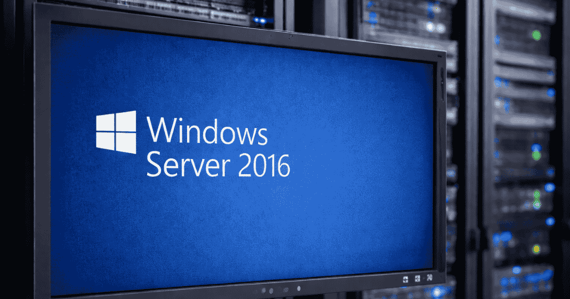
If you still run Windows Server 2016, there’s a hard date you need on your calendar: January 12, 2027, when extended support ends. After that, routine security updates stop. That is not an inconvenience. That is an open invitation for attackers who love old, unpatched systems.
And here’s the part that catches businesses off guard: when deadlines get ignored, the “upgrade” turns into a rushed, expensive fire drill.
Why end of support is a security deadline, not an IT milestone
When a server is supported, vulnerabilities get fixed through patches. When support ends, new vulnerabilities are discovered but never repaired by the vendor.
That creates three immediate business problems:
- Ransomware risk goes up: Unpatched systems become easier to exploit.
- Compliance pressure increases: Running unsupported systems can trigger audit findings and insurance questions.
- Incident recovery gets harder: It’s tougher to prove due diligence when the foundation is outdated.
If your servers hold customer data, financial records, or line-of-business applications, this isn’t just an IT issue. It’s a business continuity issue.
The server refresh decision you're really making
Most companies end up choosing one of two paths:
Option 1. Refresh on-premises hardware
You buy new servers, install a newer server OS, and commit to that capacity for years. It can work, but it often comes with:
- big upfront spend
- longer procurement timelines
- ongoing maintenance and replacement cycles
- limited flexibility when your needs change
Option 2. Use the deadline to drive a cloud migration plan
A cloud migration strategy can help you modernize without locking your business into another long hardware cycle. The value for many organizations comes from:
- scaling resources up or down as workloads change
- improving resilience and disaster recovery options
- reducing dependence on aging physical infrastructure
- shifting costs from large capital purchases to predictable operating spend
The best part is not “moving to the cloud.” The best part is building a plan that keeps you secure, supported, and ready for growth.
Start with clarity: audit your Server 2016 workloads
Before you migrate anything, you need a clear inventory. List every workload running on Server 2016, including:
- business-critical apps
- file shares and storage
- identity services
- databases
- scheduled tasks and integrations no one remembers until they break
Then label each workload:
- Keep and modernize: critical and still needed
- Replace: outdated apps that should be retired or upgraded
- Rehost: move as-is, then optimize later
This step prevents surprise dependencies from derailing your timeline.
Build a phased migration timeline that beats the deadline
Build a phased migration timeline that beats the deadline
Big bang migrations create unnecessary downtime and stress. A phased approach is safer and easier to control.
A simple sequence that works:
- Low-impact systems first (proof of process)
- Department workloads next (real user feedback)
- Critical systems last (after you’ve refined the playbook)
Work backward from January 12, 2027 and give yourself buffer time for testing, troubleshooting, and user validation.
Testing is where migration succeed or fail
A migration is not complete when the server powers on. It’s complete when users confirm their workday feels normal.
Your post-move checklist should include:
- login and access validation
- application functionality checks
- permission and file access verification
- performance benchmarking
- backup and restore testing
- security monitoring verification
Do not declare victory until the people using the systems say it’s working.
The cost of doing nothing gets ugly fast
Some businesses delay and hope they can “deal with it later.” That strategy usually ends in one of these outcomes:
- a rushed upgrade with downtime
- emergency consulting spend
- security exposure that becomes an incident
- paying for short-term extended security options as a penalty for delay
Even if you can buy extra time, it’s rarely the smartest long-term financial move.
Make 2026 the year you modernize on purpose
If Windows Server 2016 is still part of your environment, now is the time to turn that deadline into a controlled upgrade plan, not a last-minute scramble.
We help businesses inventory workloads, reduce risk, and execute smooth migrations into modern server environments and cloud-ready infrastructure.
Call us today at (407) 995-6766 or CLICK HERE to schedule your free discovery call.